 xynovim
xynovim guide
Debugging Rust in Neovim with nvim-dap and codelldb
Debugging Rust in Neovim works with nvim-dap and the codelldb adapter, but the defaults leave you with raw memory instead of readable values, or with no locals at all. This guide covers the debugger setup in xynovim, a personal Neovim configuration for Rust: the keys, the launch configurations, why strings and options print as text, why a panic stops at the right frame, and the one Cargo setting that decides whether you see local variables.
What you need
codelldb, whichscripts/bootstrap.shinstalls through Mason on Linux, andcargowithrustcfromrustup.- Full debuginfo in the dev profile. This is the setting people miss. I keep
profile.dev.debug = truein~/.cargo/config.toml, because withline-tables-onlyorlimitedthe Locals scope is empty. A user-level profile overrides a project'sCargo.toml, so a project can only change it through its own.cargo/config.tomlor theCARGO_PROFILE_DEV_DEBUGenvironment variable. Do not usesplit-debuginfo: packed and unpacked both left codelldb without locals. The cost measured on two small fixtures (single, noisy runs): a clean build about 14 percent slower andtarget/debugabout 28 percent larger than withline-tables-only.
Keys
The keys come from LazyVim's dap.core extra plus two additions. Press <leader>d and which-key lists them.
| Keys | What it does |
|---|---|
<leader>db | toggle a breakpoint on the current line |
<leader>dc | continue (or start, when nothing runs) |
<leader>dr | debuggables of the current file, asked from rust-analyzer |
<leader>dR | debuggables of the whole workspace: binaries, examples and the file's runnables |
<leader>du | show or hide the dap-ui panels |
<leader>di, <leader>dO, <leader>do | step into, step over, step out |
<leader>dt | terminate the session |
<leader>dr from a lib.rs lists only that file's tests, which is why <leader>dR exists: it reads the binary and example targets from cargo metadata and adds the runnables of the current file. Each entry builds first and then launches.
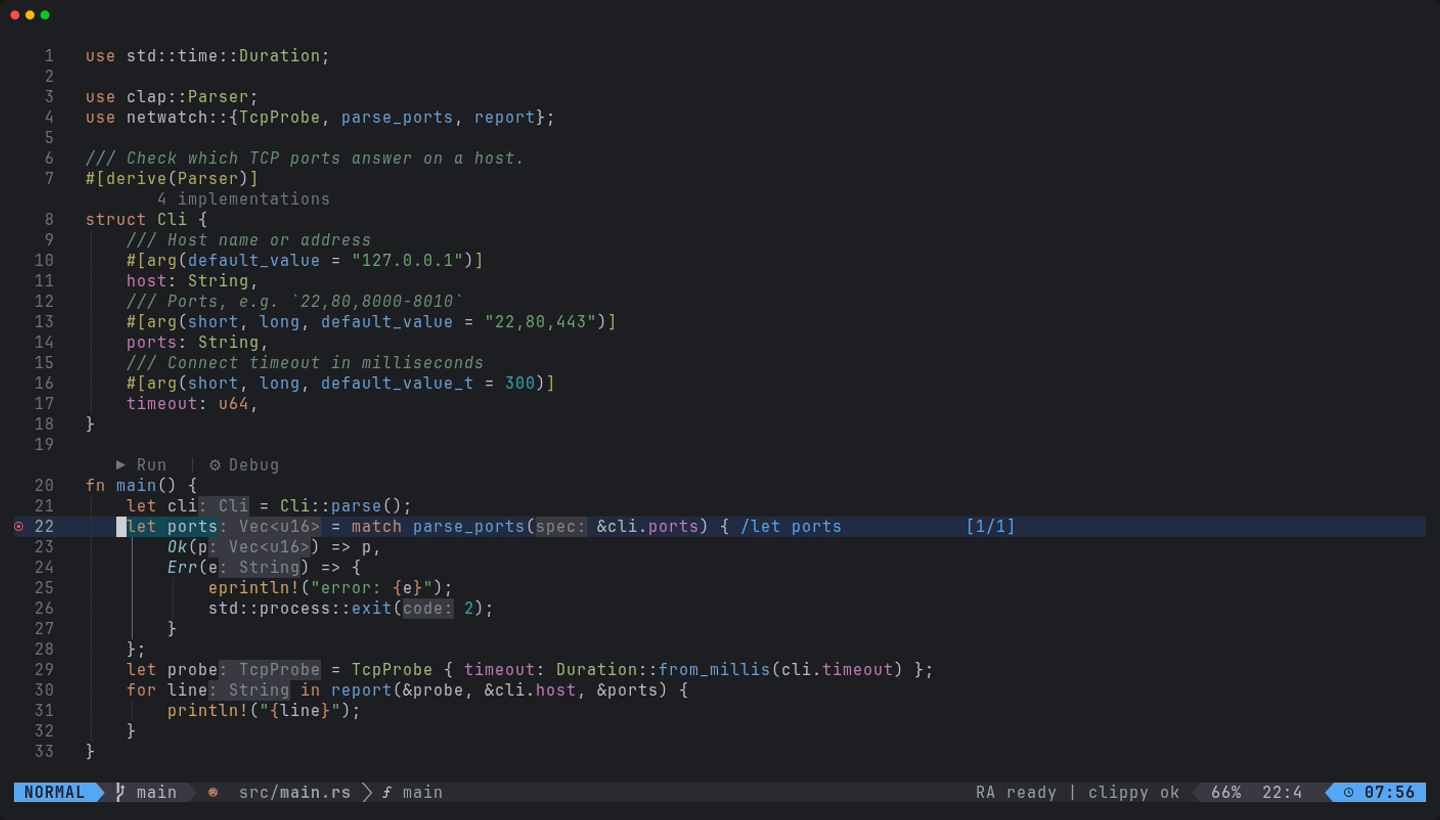
src/main.rs, before a debug run.Launch configurations
Three Rust configurations replace the generic ones. LLDB: Launch and LLDB: Launch (args) ask for the executable, prefilled with <cargo target_directory>/debug/<bin>. The binary comes from cargo metadata: the package that holds the buffer, else the root package, else the first package with a binary. Rust: run current package binary (args prompt) builds with cargo build --package P --bin B without blocking the editor and launches in the package directory. A launch.json still works.
Readable values and panics
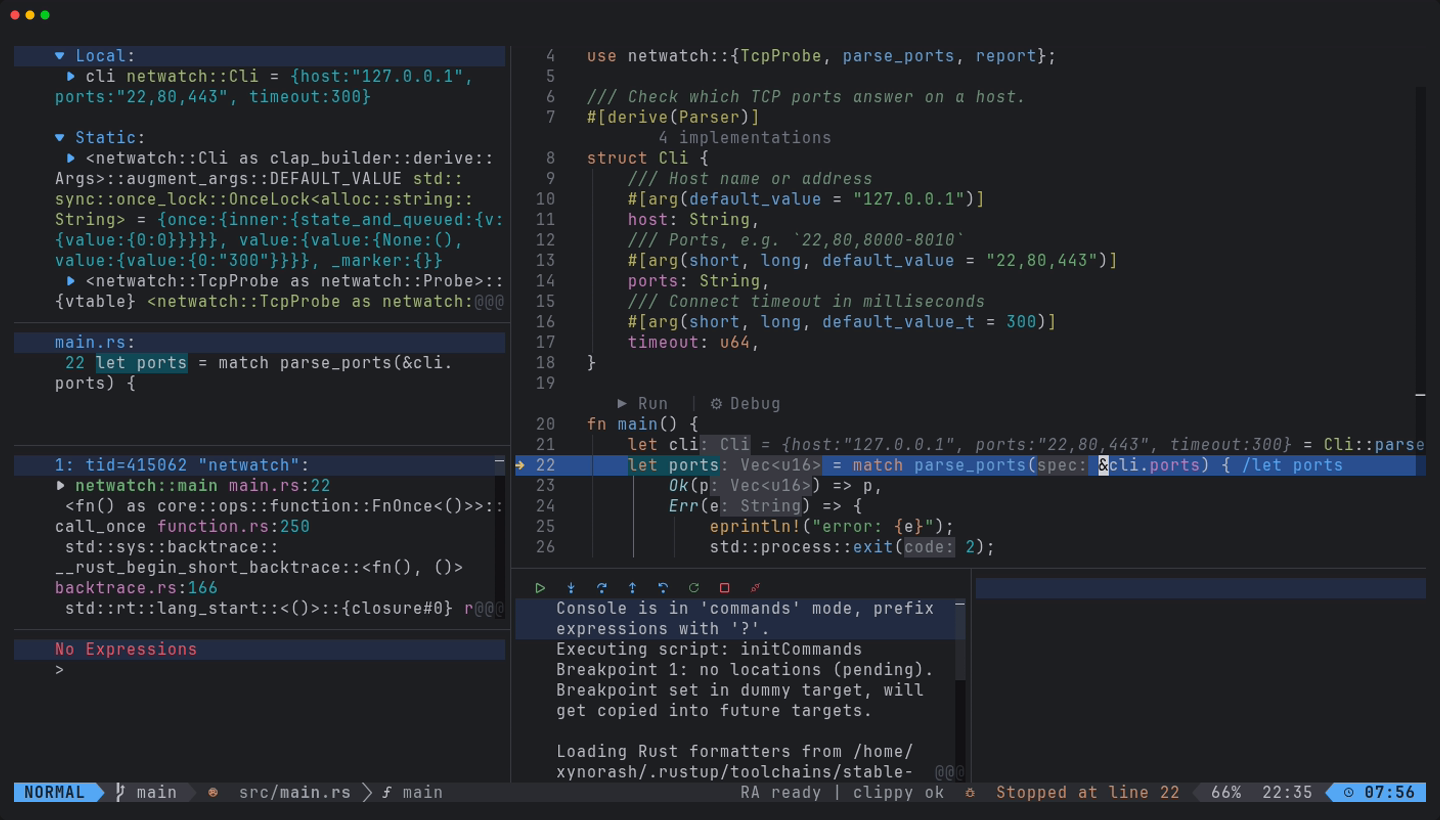
Every Rust launch through codelldb gets two additions. First, Rust's own LLDB formatters (lldb_lookup.py from the toolchain's sysroot) are imported, so a String shows as text, a Vec as size=4, an enum as B(7), and a struct as {host:"127.0.0.1", ...} instead of raw fields. Second, a breakpoint on rust_panic is set, so a panic stops at the panicking frame instead of the session ending with exit code 101. A #[should_panic] test stops there too. Both are added in a listener, because rustaceanvim overwrites initCommands on its own launches.
The dap-ui sidebar is wider than the default (35 percent of the columns, clamped between 40 and 60) and wraps, so a type such as alloc::vec::Vec<alloc::string::String, alloc::alloc::Global> stays readable.
A quiet startup
The upstream default loads debug configurations by running cargo test --no-run --all-targets every time rust-analyzer attaches, which competes with your own cargo for the build-directory lock. That autoload is off here. The picker keys ask rust-analyzer on demand, and :RustLsp debuggables still works.
Limits
- Developed and tested on Linux. On Windows and macOS codelldb does not install through Mason, so debugging is not demonstrated there.
- The interactive prompts were stubbed in the tests, and multi-binary workspaces and very narrow terminals were not verified.
<leader>dRuses rustaceanvim internals that an update could break.
Try it
Install the configuration, open the demo crate, put a breakpoint with <leader>db in main and start it with <leader>dR.
git clone https://github.com/xynorash/xynovim ~/.config/nvim   # or ln -s <checkout> ~/.config/nvim
~/.config/nvim/scripts/bootstrap.sh
xynovim is a personal project: the home page has the tour, the install details and the platform status.